Invitee Experience
Your invitees' experience is important. We help you create a smooth event for everyone involved - from what they see when they open a scheduling link, to how they're notified and reminded about it.
This article covers the invitee-facing side of scheduling: what they see, what control you have over their experience, and who gets notified when.

What will the invitee see when I send a scheduling link?
Your invitee will open a scheduling link or public link and get to the slot selection page. From there, they see the available times you have and select a time slot to book the event.
How do I send a separate invite to the invitee?
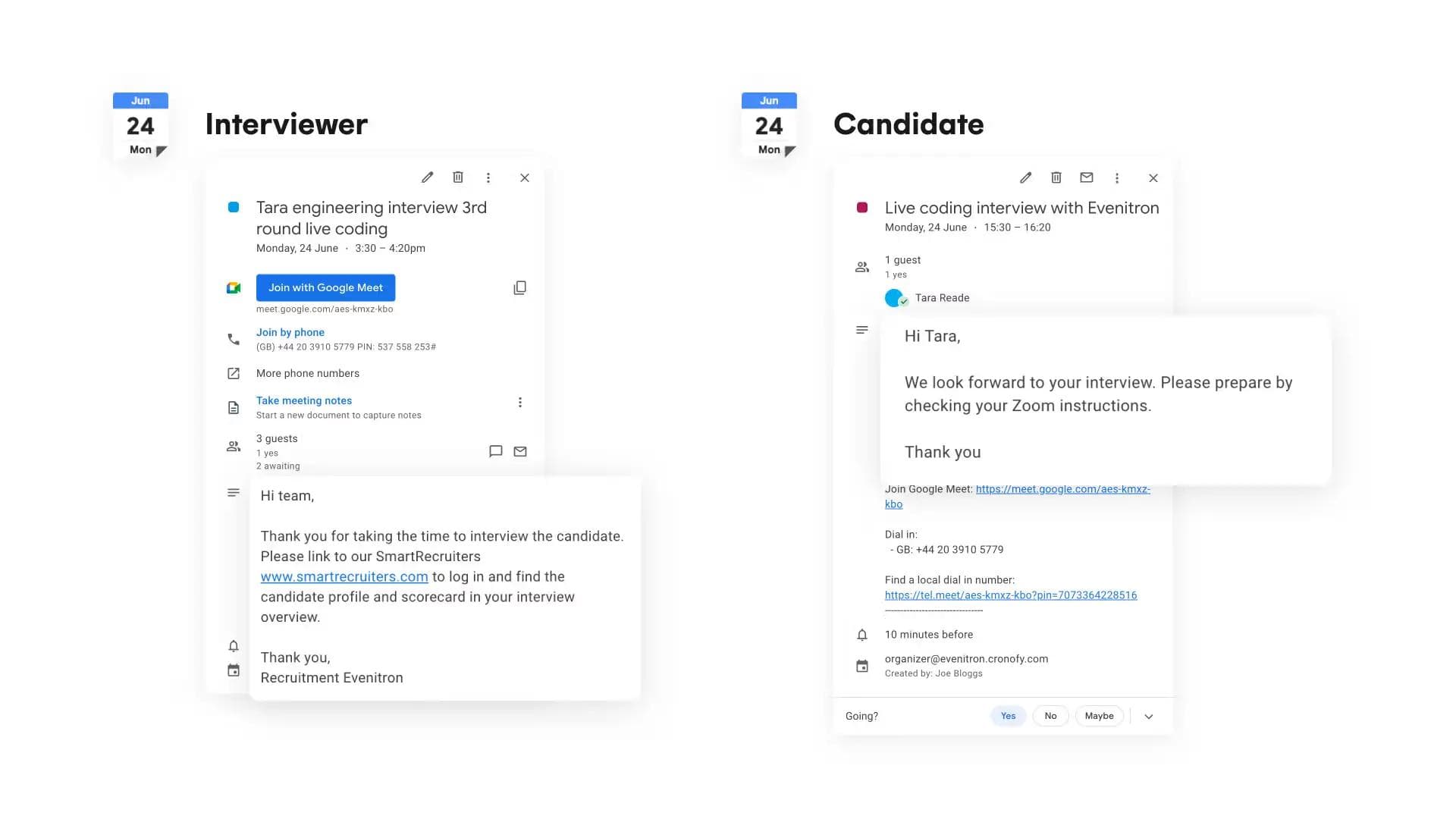
You can send a separate invite to your invitee by clicking the three-dotted symbol next to their name. Then, enable the slider and click “Done.”
Afterward, you’ll be able to switch between the event details to access different information about it.
Now you can:
- Share separate calendar event content with a candidate and interviewer(s). E.g. you can share preparation information to your candidate, and share the candidate information with your interviewer(s).
- Guarantee privacy as both parties will not see each others information such as name and contact details.
- Hide internal calendar updates from candidates.
Maintain control over event changes. Interviewers won't have the option to decline which will keep you in control in case they need to reschedule a time or a different interviewer.
Separate invites are now also supported if you create a request from a template.

Will invitees receive reminders?
No, invitees do not receive reminders for meetings ahead of time. However they will receive notifications about changes of the event.
What happens if invitees can do any of the times offered?
By clicking the I can’t do any of those times on the scheduling request the user may decline the request. The request then goes into the orange status, awaiting your action. From here you can choose if you want to offer more times or cancel the requests entirely.
Who gets notified about event changes?
In an event a coordinator(creator), host and invitees get email notifications about events booked, event changes and cancelations.
Certain actions do not notify all participants. Look further down for more information.
How do I get notified about changes of an event?
By default, all notification occur via your email provider with an email from Cronofy that is automated.
Will I receive a reminder prior to the event commencing?
Reminders can be setup in the preferences and will send email reminders to you as a host. This will not send reminders to any other participants.
Preferences → Event details
Don’t forget to Save!
Will my invitee receive a reminder prior to the event?
At this time its not possible to send automatic reminders to invitees.

Create a Scheduling Request
