Every hiring technology platform is racing to add an AI assistant or agent. With an estimated 92% AI adoption rate, users expect intelligent assistance inside the platforms they already use.
Recruiters need two questions answered first. How did the interview go, and when can we schedule the next round? Many AI assistants struggle to answer them, often because the interview happened in a call the platform never captured, or the hiring team's availability sits in calendars the platform can't see.
What's lacking is context. Without an underlying infrastructure that tells an AI assistant what was said and when participants are free, it either guesses or sends the recruiter elsewhere. (We explore this problem in our blog on the missing context layer.)
To show what a better approach looks like, we built Tempo, a recruiting assistant inside our sample app. Tempo isn't a Cronofy product. It's an example of how you can build your own AI agent, using your own platform's intelligence and the same underlying capabilities.
It answers questions about interviews using Cronofy Meeting Transcripts, then finds and books interview times through our MCP Server and Scheduling.
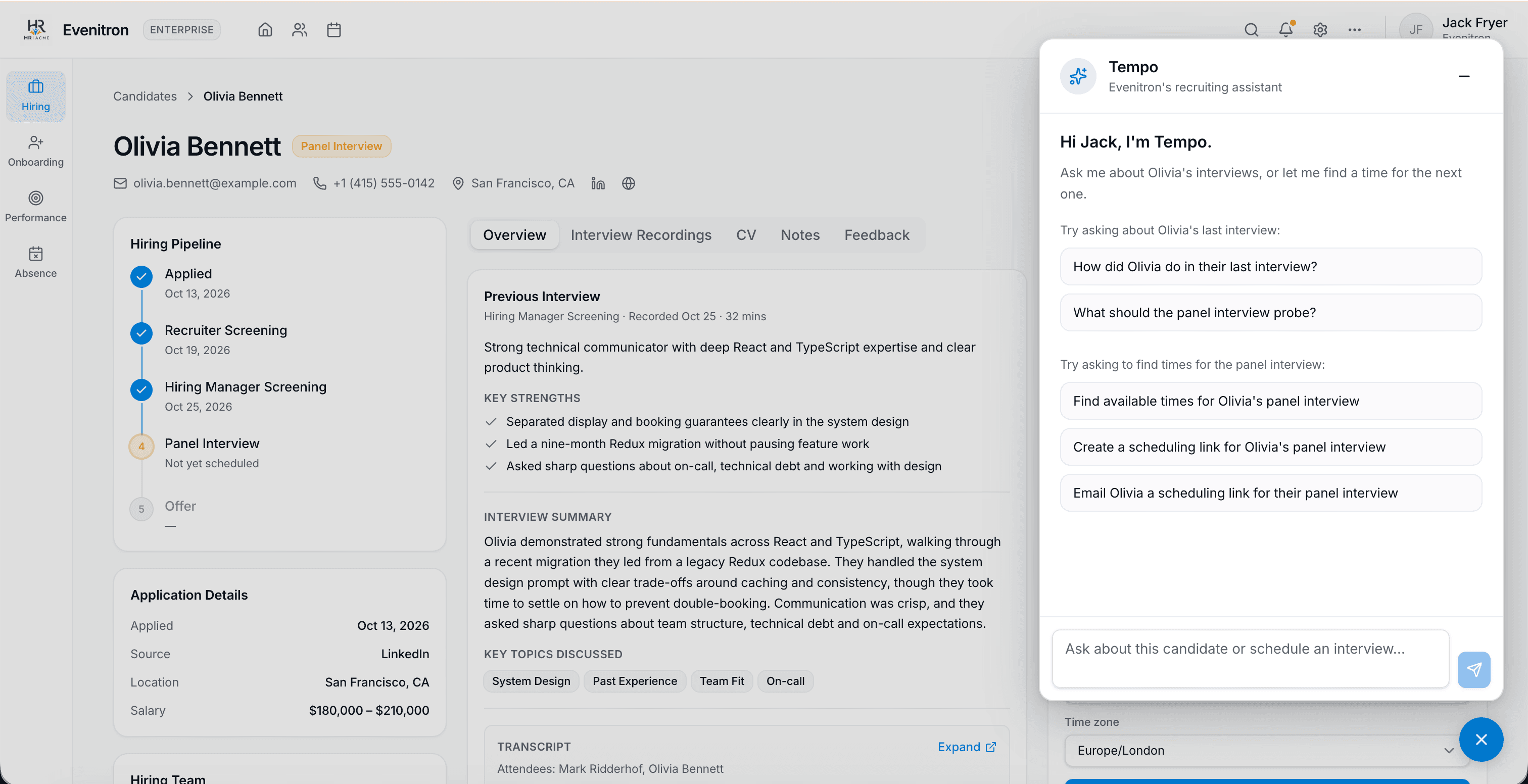
Tempo's start screen makes the two use cases explicit: "Try asking about Olivia's last interview" and "Try to find times for the panel interview." Steps 1 and 2 below cover the interview review, and steps 3 and 4 cover scheduling.
Step 1: Give your agent a transcript of every interview
An HR assistant might be asked to review an interview, but what does the platform know about it, and what is the agent missing?
Quite often it has only the notes the interviewer typed up afterwards. Sometimes it has nothing at all, because the interviewer's own notetaker stored the transcript in another product. An agent working from second-hand notes can only give second-hand answers.
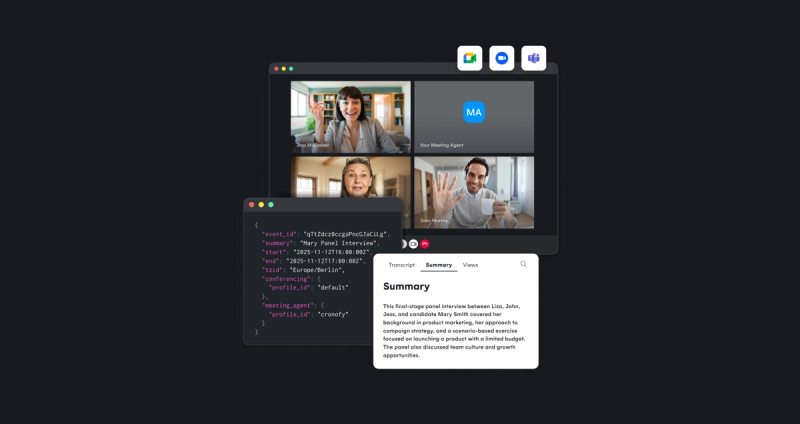
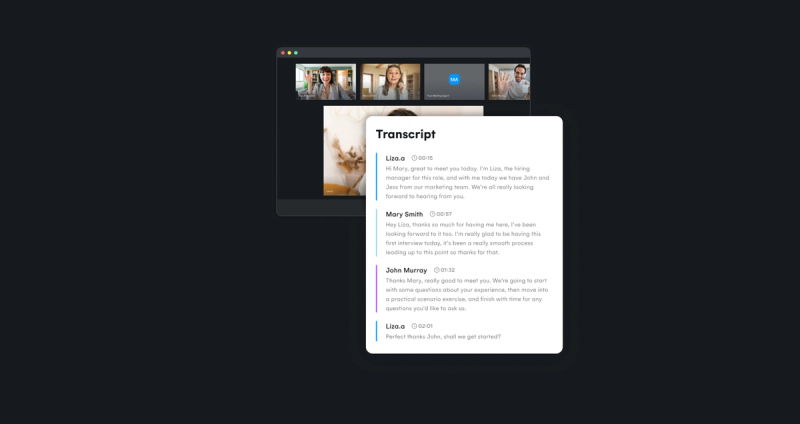
Cronofy's Meeting Transcripts gives your platform the record of what was said during the interview. A notetaker joins the Zoom, Google Meet or Microsoft Teams call. When it's attached to the calendar event at booking, it follows the interview through a reschedule, so it always lands on the right session. After each interview, your platform receives three things:
- The raw transcript, diarized (attributed to individual speakers) and timestamped throughout
- A summary derived from the transcript
- The interview details, including who participated, when it happened and how long it lasted
Your platform stores these against the candidate's record, associated with the relevant interview. That gives your agent the context to answer questions about a specific candidate and conversation, rather than offering general advice about interviews.
So why does the raw transcript matter? A summary is someone else's reading of the interview, whereas the raw transcript is the evidence. With it, your agent can quote what the candidate (let's call them "Olivia") said and the moment they said it, and answer questions no one thought to summarize, such as "What should the next interview probe into?"
It also means the platform keeps ownership of its intelligence layer. Cronofy supplies the transcript, and your agent, running on whichever model you choose, decides what to extract, how to interpret it and what to recommend. Tempo runs on Claude, but because Cronofy hands over the raw transcript, you can use the same approach with any other AI model.
When the recruiter opens the assistant on a candidate page, the platform adds that candidate's transcript and interview details to the agent's context. This comes from the platform's own data, fetched from Cronofy's API.

In our Tempo example, the recruiter starts with a simple question: "How did Olivia do in their last interview?"
Tempo reads the raw transcript and opens with a one-line verdict on the interview, then groups the candidate's strengths under short labels. Each point is backed by a short quote and a timestamp, so the recruiter can click through to the moment it was said and decide whether they agree.
It also picks out the less convincing answers, so the hiring team knows what to dig into, and recommends whether to move the candidate forward. The hiring decision stays with the people making the assessment.
A conventional summary might say the candidate led a migration. The transcript lets the agent show how they approached it, in their own words and at the minute they said it.
How to let your agent prepare the next interview
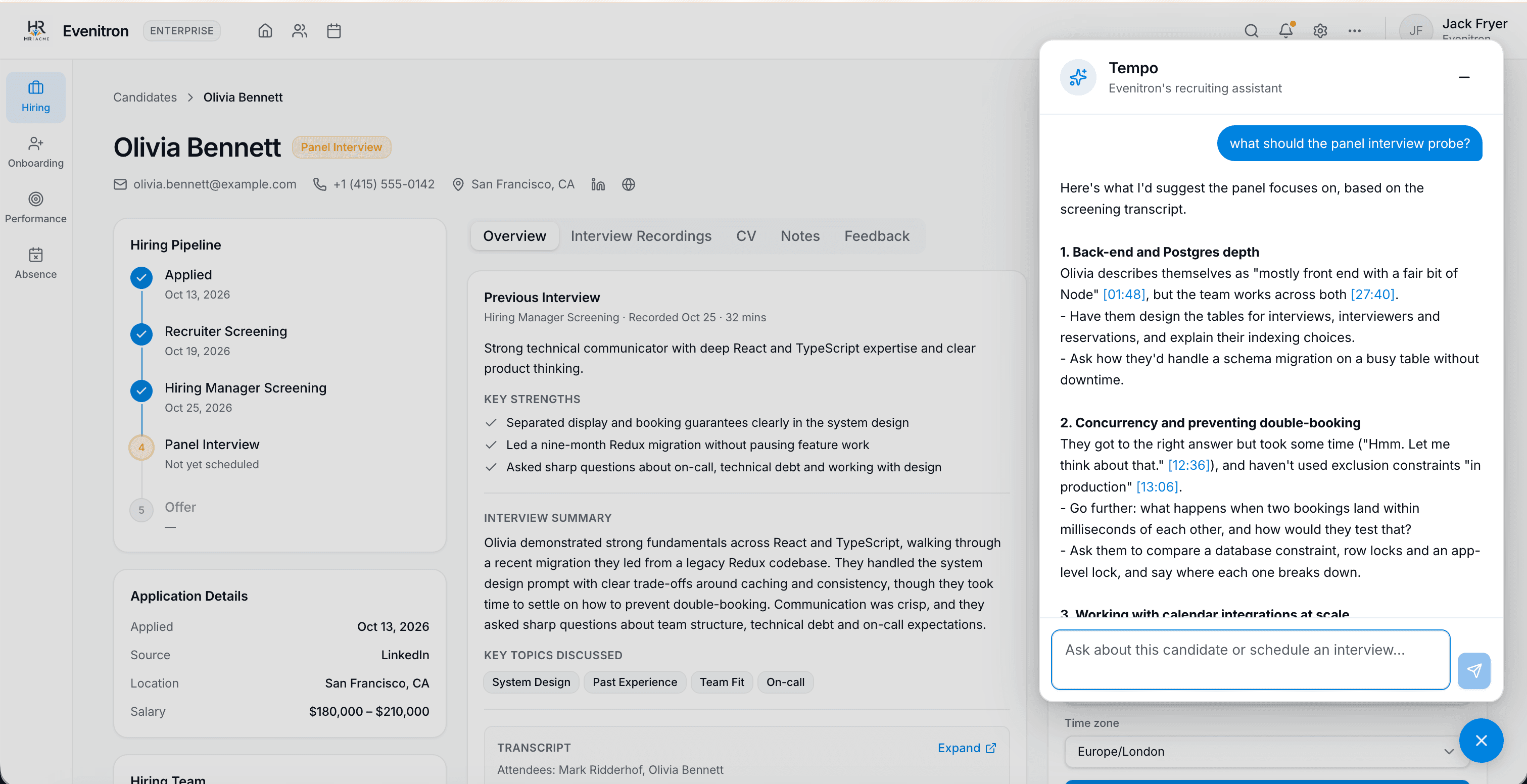
The transcript becomes even more valuable when the recruiter asks a forward-looking question: "What should the panel interview probe into?"
Tempo picks out where the screening left gaps, such as back-end depth or how the candidate handled a concurrency problem, and grounds each one in timestamped moments from the conversation. For each area it suggests concrete questions for the panel, so interviewers know where more evidence would help instead of repeating questions or improvising the panel from scratch.
The instructions that make the answers trustworthy
The platform must define how its agent handles interview evidence. In Tempo, the instructions tell the model to:
- answer from the transcript, rather than relying only on the summary
- quote short phrases with timestamps so claims can be checked
- give a balanced view of strengths and areas to probe
- make recommendations without taking the hiring decision away from people
- refer to the candidate by name or as "they"
- say plainly when no transcript is available
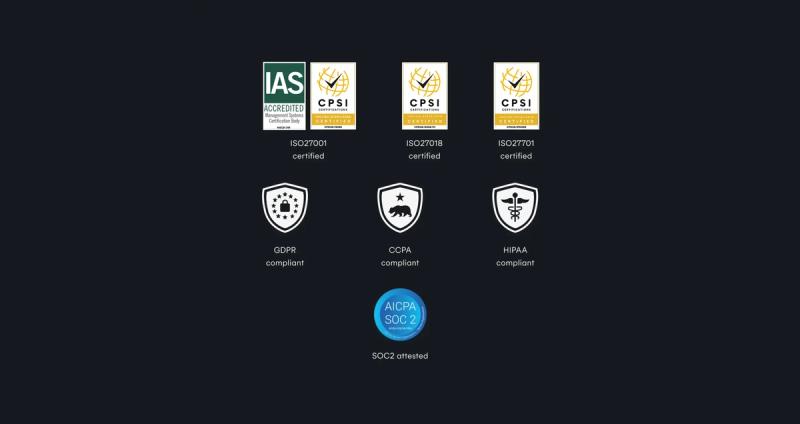
The platform writes these rules into its agent's instructions instead of leaving the model to invent its own behaviors. In hiring, an agent that can't show where its answer came from will struggle to earn recruiters' trust or pass a customer's compliance review.
The same pattern works for other HR conversations, such as appraisals and one-to-ones, where the transcript can be attached to a meeting already in someone's calendar.
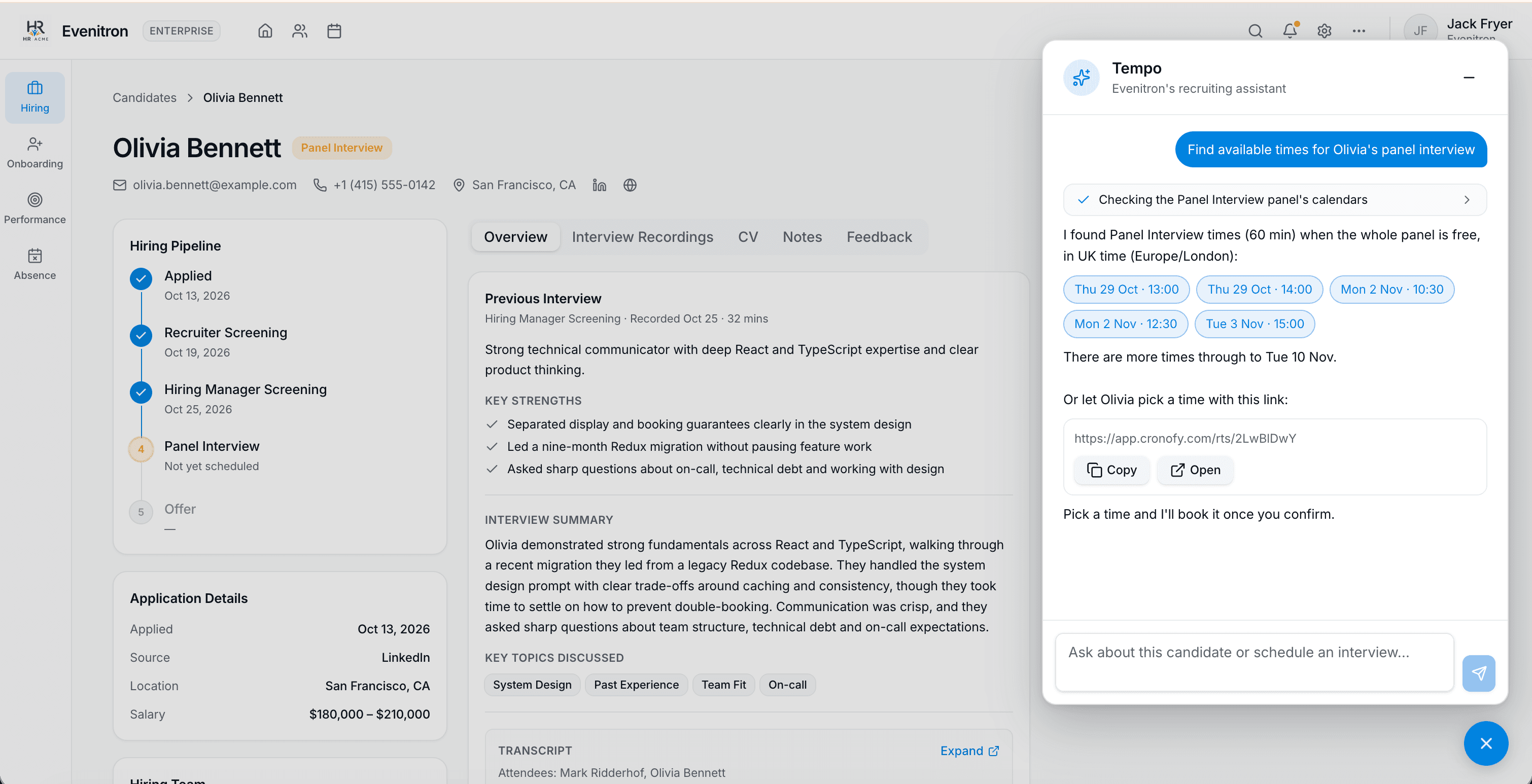
Knowing what happened in an interview is only half the task. Once the recruiter decides to progress a candidate, the assistant needs to help arrange the next round, and that means giving the agent access to real availability.
How to let recruiters find panel times by asking their agent
Your platform connects its agent to Cronofy's MCP Server, the entry point for AI agents, which gives any agent that supports the Model Context Protocol (MCP) a set of scheduling tools to call. There are three core tools:
- suggest_times_to_meet suggests times for a meeting
- choose_suggested_time books one of the suggested times
- create_scheduling_link creates a link through which someone can choose a time
The agent decides when to call these tools, and your platform executes the calls on its server, so credentials stay server-side rather than being exposed to the browser. See the MCP Server documentation for setup and implementation details.
The important design decision is to use your existing interview templates to define the meeting. The ATS already knows what each interview stage needs: who sits on the panel, how long it runs and how it's held. In the sample app, those are set up in advance as interview templates.
When the recruiter asks Tempo to find times for the panel, it knows this is the panel interview. Cronofy's MCP Server uses the pre-built Panel Interview template to check the availability of the entire hiring team. That stops the agent inventing a panel, and it means the agent books what a recruiter would book by hand.
Tempo returns options when all four panel members are free, so the recruiter doesn't have to cross-check four calendars. From here, the recruiter can book a time now or let the candidate choose:
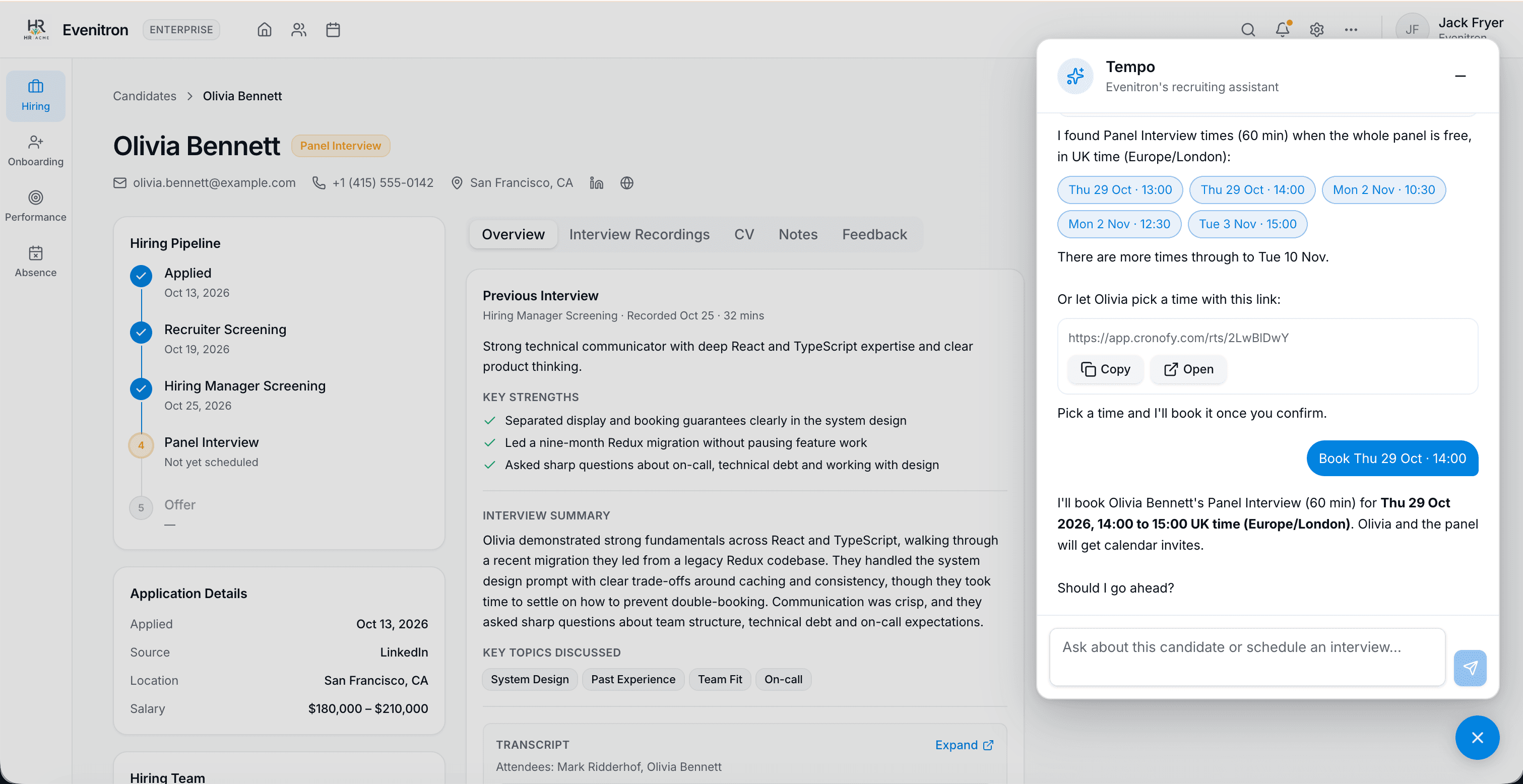
- Option 1: Book a time now. The recruiter picks one of the times. Tempo says what it's about to book and waits for confirmation. Then it books the interview, and Cronofy writes the event to every panel member's calendar. This suits the moment when the recruiter already knows what works for the candidate, for example if they're on the phone together.
- Option 2: Send the candidate a link. Sometimes the recruiter would rather let the candidate choose. Instead of booking a slot, the agent can create a scheduling link that offers times when the panel is available. Step 4 covers how to turn that link into a candidate-facing workflow.

The agent never books a time or contacts a candidate without the recruiter confirming. That's what makes an agent safe to put in front of recruiters, and it's a rule the platform writes into the agent's instructions rather than leaving the model to decide when an action is appropriate.
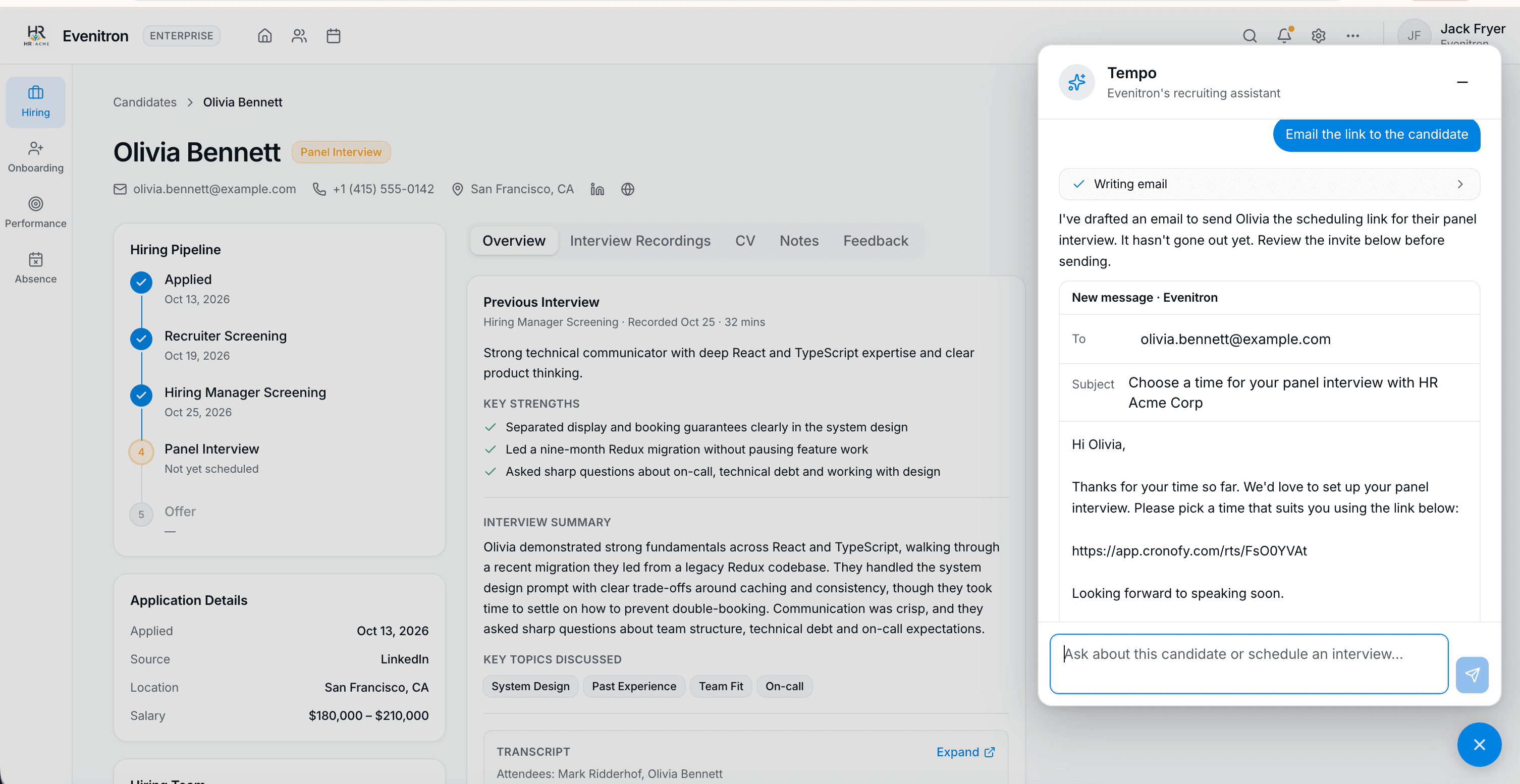
A scheduling link is useful when the recruiter wants the candidate to choose a time without coordinating calendars by hand. In Tempo, Cronofy's MCP Server creates the link from the panel template, so the candidate only sees times when all four panel members are free, and the booking lands in everyone's calendar. The recruiter asks Tempo to send it, Tempo drafts an email with the link already in it, and nothing goes to the candidate until the recruiter has reviewed and sent it.
That splits the work three ways. Cronofy provides the panel's real availability and a link that books against it. Your platform's agent interprets the request and drafts the email in your product's voice. The recruiter reviews and approves what gets sent. You can adapt the flow to your own product: the recruiter might ask for a link to paste into their own message, or your platform might have Cronofy send the email directly.
How the agent keeps the platform's record up to date
Whatever route the agent takes, it should use the same scheduling request and record-keeping workflow as the rest of your platform. That way, the candidate's page and dashboard update straight away, show that the assistant created the request, and track its progress from awaiting a time to booked. An agent that schedules outside the platform's record creates a second, invisible pipeline, and recruiters stop trusting both.
Give your AI agent the context it needs
An AI agent is only as useful as the context it can access. In hiring, that means what was said in an interview and the hiring team's real availability.
Both capabilities sit within the same Cronofy infrastructure. Managed scheduling and rescheduling work alongside meeting conferencing and transcription, so a notetaker attached at booking can follow an interview when the agent reschedules it. The agent can then review the transcript of the interview it helped arrange.
There's a real-world example of how quickly this can come together in production. Pinpoint, an ATS, added AI notetaking to its existing Cronofy integration in about four weeks, including UI work. Its transcript data now feeds Pinpoint's own agentic layer, Copilot.
Speak to an expert about your platform's architecture.
See Cronofy for HR Tech
To see how Cronofy fits Hiring Platforms or HR Suites specifically, visit Cronofy for HR Tech.