Power two-way calendar sync with a unified Calendar API

Trust by 450+ SaaS products






Stop chasing provider API changes
Every provider ships a different API, and none of them behave the same. Cronofy resolves those differences into one API, so you never build or maintain provider integrations yourself. And it stays that way, because we're still on v1 with no breaking changes.
See the Calendar API in action
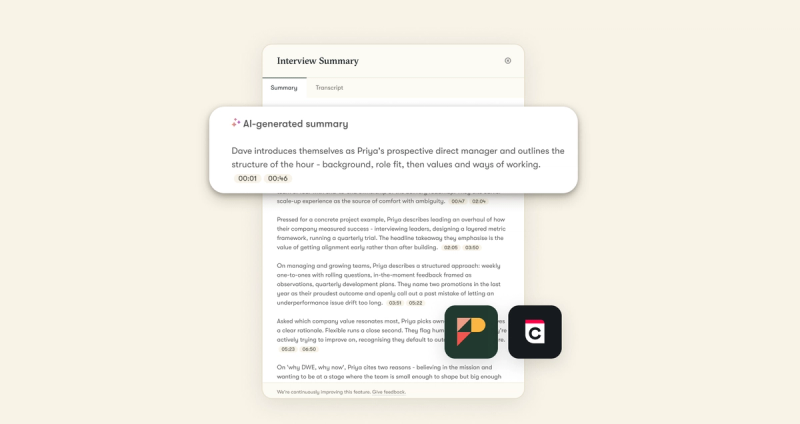
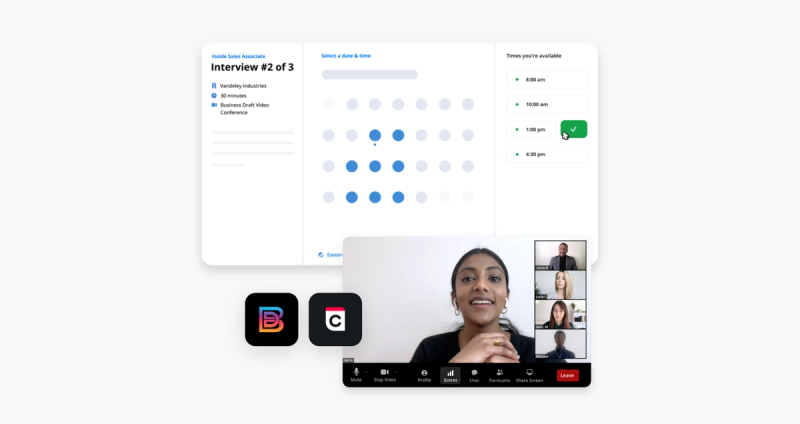
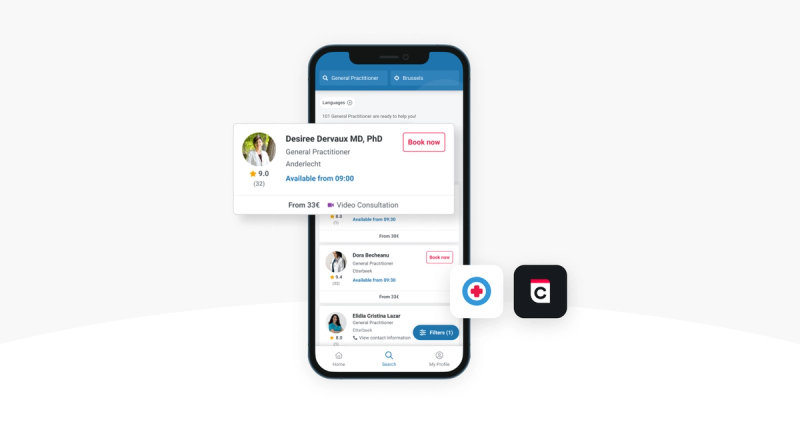
See what it can power inside a real SaaS application.



Authorization and authentication
From a single user to an entire enterprise.
Individual connect
User-level OAuth 2.0, hosted by Cronofy and branded for your app, so you never handle provider credentials.
Enterprise connect
Onboard an entire organization's calendars in one action. Cronofy issues tokens for every calendar in the domain.
Application Calendars
Provision a Cronofy-hosted calendar for your application, for scheduling that isn't tied to any user's own calendar.
Reliability
Calendar sync with 99.99% uptime
Cronofy's Sync Engine keeps a synced copy of every connected calendar and returns only what changed since your last request. When a provider goes down, it serves a cached response, so calendars stay connected and bookings keep running.

Scale and security that drive adoption
Cronofy gives you the compliance foundation to support healthcare, finance, enterprise, and region-specific requirements without rebuilding your infrastructure later.
Build trust and unlock regulated markets
Security is core to Cronofy's infrastructure, built in Europe. Calendar data demands serious protection, which is why Cronofy is ISO 27001, 27701 and 27018 certified, SOC 2 Type 2 attested, and GDPR, CCPA and HIPAA compliant.

Start building today
Open a sandbox and connect up to 20 accounts for free. When you're ready to go live, book a call to discuss your integration.
What is the Cronofy Calendar API, and what can I build with it?
The Cronofy Calendar API provides real-time, two-way calendar sync for software products. Through one integration it connects your application to your users' calendars across every major provider, so you can read and write events, check real-time availability, and build reliable scheduling features into your product.
Which calendar providers does the Cronofy Calendar API support?
Google, Microsoft 365, Apple (iCloud) and on-premise Exchange. Cronofy normalizes them into one consistent API, so your integration behaves the same whatever calendar a user is on.
Does the Cronofy Calendar API support two-way sync?
Yes. Cronofy reads changes from the user's calendar and writes your application's events back, keeping both sides in step in real time.
How does Cronofy connect to multiple calendar providers through one integration?
Cronofy sits between your application and each calendar service, handling authorization and sync as an intermediary and returning events in one consistent JSON schema. You build against Cronofy once, instead of maintaining a separate integration for every provider API.
Why use a Calendar API instead of building on Google or Microsoft's APIs directly?
Building and maintaining each provider integration yourself takes months and keeps demanding engineering time as provider APIs change. Cronofy gives you one API with a 99.99% uptime guarantee, and its Sync Engine serves cached responses during provider outages, so you ship faster and your users stay connected.
What permissions and authorization does the Calendar API require?
Users authorize through an OAuth flow hosted by Cronofy and branded for your app, so you never handle provider credentials. For organizations, Enterprise Connect lets a single domain administrator grant access for everyone at once, with no per-user consent.
Can I create, read, update and delete calendar events programmatically?
Yes. The Calendar API gives you full read/write access to events across a user's connected calendars, and you can batch up to 50 operations into a single request.
How does free/busy and calendar access control work?
Each calendar can be connected in full read/write mode, free/busy-only, or not at all, so users share exactly what they're comfortable with. Free/busy returns availability without exposing event content.
How does Cronofy handle event updates, reschedules and cancellations?
Cronofy monitors connected calendars continuously and sends real-time push notifications when something changes, so you pull only what changed. Events your application creates are tracked separately from the user's own, so you're only alerted to what matters.
How does the Calendar API handle time zones and daylight saving?
Every event is returned in the time zone you specify, with its UTC time and IANA zone attached. Cronofy maintains the IANA time-zone database, so daylight saving and offset changes are handled for you.
Does the Cronofy Calendar API integrate with Zoom?
Yes. Users can connect their Zoom account, and Cronofy attaches a Zoom link to events automatically and keeps it in sync if the event changes.
Does the Cronofy Calendar API integrate with Google Meet?
Yes. Google Meet is available natively on Google calendars, and Cronofy adds a Meet link to events automatically.
Does the Cronofy Calendar API integrate with Microsoft Teams?
Yes. Microsoft Teams is available natively on Microsoft calendars, and Cronofy adds a Teams link to events automatically.