What is a unified API?
A unified API is a single API that connects to many providers in the same category, with one data model, one authentication flow and one integration to maintain, instead of one of each per provider. For product managers and developers, whether they're building hiring tech, an HR suite or any other product that connects to its customers' systems, a unified API abstracts the repetitive infrastructure involved in connecting to multiple providers, and includes:
- Authentication and token handling, managing provider-specific authorization flows, credentials and token refreshes
- Data model normalization, translating different provider schemas into a consistent structure your application can work with
- API differences, handling variations in endpoints, request formats, pagination and rate limits
- Data synchronization, keeping your application's view of provider data current as records change, integrations disconnect, or events occur
The result is one interface for your application, backed by multiple integrations maintained by the unified API provider. There is no single unified API for everything, because each one is built around a category of system.
The category matters because the underlying systems do different jobs. Examples include:
- Calendars and meeting infrastructure. One API can connect to Google, Microsoft, Apple and on-premise Exchange, supporting availability, scheduling, calendar events and meeting workflows.
- HR suites and hiring tech. Unified APIs connect to systems such as Workday, BambooHR and Greenhouse, providing a consistent way to work with employee, candidate and payroll data.
- Customer relationship management. A unified API can standardize access to Salesforce, HubSpot, Pipedrive and other CRM systems.
- Accounting and finance. One API can connect your applications to Xero, QuickBooks, NetSuite and similar platforms.
The categories complement each other. HR unified APIs connect systems of record such as HR suites, hiring tech and payroll, while Cronofy connects the calendars and meetings those records depend on.
When do you need a unified API?
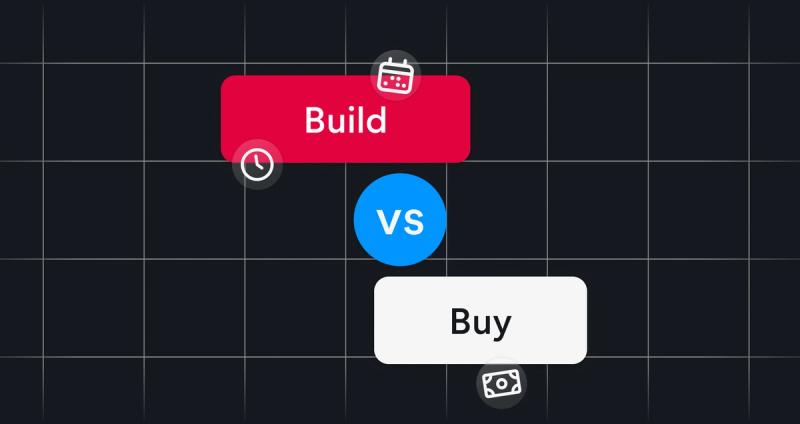
Whether a product team needs a unified API comes down to build versus buy. Most teams can build the integration, so the real question is whether they want to own everything that comes after it.
Take an HR Tech platform adding interview scheduling. The first calendar integration may be manageable, but the trigger point is usually the second provider, which introduces differences in authentication, data structures and behavior. The third adds more edge cases, and provider-specific work becomes infrastructure the team has to maintain.
Calendar integrations make this especially clear. A production-ready system may need to coordinate several participants, handle daylight saving changes and time zones, support conferencing, remain reliable when a provider experiences an outage, and ensure compliance when holding data.
These are the hidden costs below the surface of the "integration iceberg". The visible API connection is only a small part of the picture. Calendar infrastructure can take 6–9 months to build initially, with around 42% of ongoing engineering time spent maintaining it.
A product team needs a unified API when:
- Customers expect support for multiple providers in the same category
- The product roadmap depends on adding integrations without repeatedly rebuilding the same infrastructure
- Reliability, authorization, synchronization or compliance requirements make integrations more than straightforward
- The engineering team needs to focus on product differentiation, rather than maintaining provider-specific connections
You don't always need a unified API. If you only support one provider, need simple read and write, have no multi-person coordination requirements, or have limited compliance exposure, a unified API adds overhead you don't need.
What makes an effective unified API?
Most unified APIs promise the same thing, one interface across multiple providers. The difference is what each interface delivers when real customers and production systems introduce complications. Here's what to look for:
- Provider coverage. Check whether the API supports the systems your customers use, including on-premise Exchange as well as the best-known cloud providers. When a provider fails, users blame the product in front of them.
- Reliability during provider outages. An API that passes requests straight through is only as resilient as the provider behind it. Ask whether the integration layer caches state, how it handles outages, and whether your application can continue serving useful information when a provider becomes unavailable.
- Authorization at organizational scale. Per-user OAuth is fine until a customer has 5,000 employees and an IT review. Organization-wide authorization, alongside more restrictive permissions such as free/busy-only calendar access, can make enterprise deployment substantially easier.
- Compliance that transfers meaningfully. The integration work moved but the risk didn't, and the risk was the expensive part. Understand which controls, certifications and data-residency commitments the provider delivers, and which obligations remain yours.
- Backward compatibility. Breaking changes create a recurring draw on your roadmap. Ask how many breaking changes they've shipped in recent years.
- Lifecycle coverage. Reading data is often the easy part. Creating an event, then keeping your product correct when that event is moved, edited or cancelled elsewhere, requires a more complete integration strategy.
Cronofy, the unified API for calendars and meetings
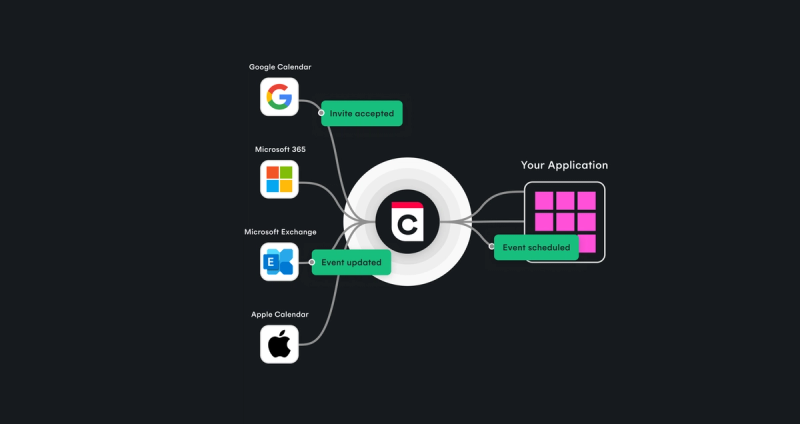
Cronofy is the infrastructure that lets a product see, schedule and transcribe every conversation. For dev teams building products such as hiring tech or an HR suite, Cronofy provides the unified API for calendars and meetings. It connects Google, Microsoft, Apple and on-premise Exchange through one API and one data model. Instead of building and maintaining a separate calendar integration for each provider, a dev team can integrate with Cronofy and build its product on top.
Most unified APIs are headless. The application calls the API, uses what comes back and presents its own interface, while Cronofy runs underneath and manages the integration infrastructure. Developers still write code, call specific endpoints, manage application logic and decide how the experience works. What changes is how much provider-specific infrastructure they need to own.
Headless and Embedded form a continuum at Cronofy, so a team doesn't have to build every part of the experience itself. It can use the API for the parts that require a bespoke experience, and use Cronofy's UI where it saves development time.
The capabilities fall into three groups:
Managed scheduling and rescheduling
Scheduling runs managed booking and rescheduling flows, headless or embedded, while Scheduling Controls gives organizations a UI and API to define the rules that govern how scheduling works.
This is useful when availability depends on more than finding an empty slot: the product must respect organizational policies and keep appointments accurate as circumstances change.
Modular calendar and availability control
Calendar Connectivity provides a unified calendar API across Google, Microsoft, Apple and on-premise Exchange, with authorization at the user or organization level. For a product manager looking for a unified calendar API, this is the foundation: one integration, rather than separate provider-specific implementations.
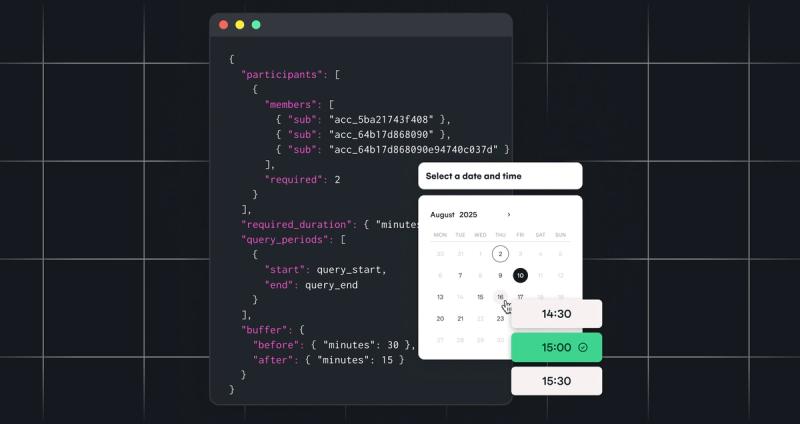
Availability goes beyond returning busy blocks from individual calendars. It provides a query engine for finding workable times across multiple people, applying working hours, buffers and time zones. That distinction matters in interview scheduling, recruiting workflows and other HR Tech products where a meeting must work for several participants simultaneously.
Calendar Events provides more granular control over calendar events and helps applications track what is in the calendar, including changes that occur outside their own interface.
Meeting conferencing and transcription
This extends the integration into the meeting itself. Meeting Transcripts provides the recording, transcript and summary for meetings on Zoom, Google Meet and Microsoft Teams, and Conferencing provides turn-key conferencing on demand.
All three capability groups run on the same temporal grid, so a product can start with one and add the others without rebuilding.
What does integration look like?
For example, a recruiting platform may need to:
- Authorize a recruiter's calendar or connect an organization's calendars
- Query availability for an interviewer and a candidate
- Apply scheduling rules and identify a suitable time
- Create the calendar event and arrange conferencing
- Keep the application's state aligned when the event changes or is cancelled
Developers implement the workflow using the relevant API operations. Each step is an API call the team makes, and Cronofy provides the consistent infrastructure layer underneath, so none of them means rebuilding a provider's integration.
Cronofy's approach addresses several practical issues that can make calendar integration difficult for product teams:
- Resilience. Cached availability can continue to support useful responses during a calendar provider outage, rather than making every provider failure an immediate product failure.
- Organizational authorization. Enterprise Connect bulk-authorizes a client organization's calendars, so employees don't have to be connected one by one.
- Least-privilege access. Free/busy-only permissions provide an alternative when full calendar read access would not pass a customer's security review.
- Compliance. Cronofy is GDPR, CCPA and HIPAA compliant, SOC 2 Type 2 attested and certified to ISO 27001, ISO 27701 and ISO 27018, with six regional data centers.
450+ SaaS products use Cronofy, including over 100 HR Tech products. Cronofy processes more than one billion events and provides a 99.99% uptime SLA.
Start building
Sign up and connect up to 20 accounts for free, with 24 hours of meeting recording included. No credit card required.