Scheduling is one of the hardest parts of building booking into a product. It means reconciling multiple connected calendars, handling time zones and buffers, avoiding booking conflicts, meeting security and compliance requirements, and keeping everything in sync.
The alternative is to build on a single scheduling API. Choosing the right one matters. It can save a dev team months of engineering work, with the potential to ship a new scheduling feature in days rather than months.
What is a scheduling API?
A scheduling API is an interface that lets developers build scheduling, booking and appointment capabilities into applications. It usually consists of a set of programmable endpoints that allow an application to read availability, create and manage bookings, and keep calendars in sync with minimal human intervention.
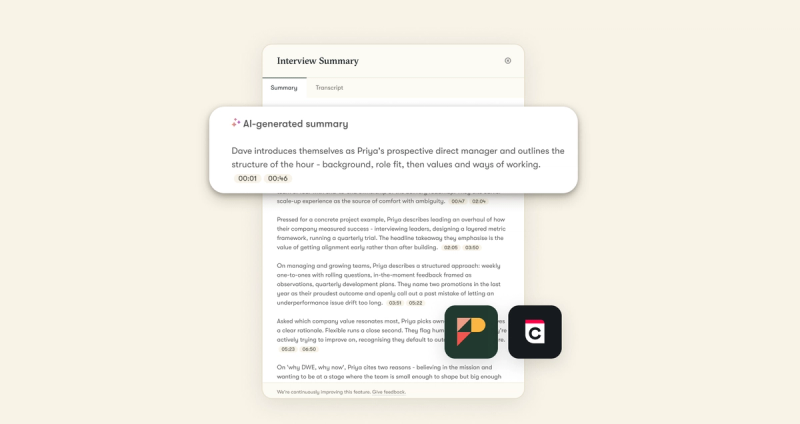
It gives a dev team the underlying infrastructure for free/busy-only access, panel and multi-interviewer handling, transcript delivery, availability queries, event creation, and reschedule and cancel operations.
How does a scheduling API help developers?
The right scheduling API lets developers:
- Generate real-time availability across Google, Microsoft and Apple calendars without writing provider-specific sync code
- Keep scheduling inside the product's own workflow
- Create, reschedule and cancel bookings programmatically
- Use pre-built UI components to embed a branded booking experience instead of designing a scheduler from scratch
- Avoid the double-bookings and calendar conflicts that create support load
- Scale at enterprise volume with compliance built in
Developers can also customize workflows through a workflow engine that notifies the app of bookings, rescheduling and upcoming events. That lets a dev team focus on the features that differentiate their app.
What to look for in a scheduling API
Dev teams evaluating scheduling APIs face a range of options, from infrastructure that runs underneath a product to managed scheduling products that expose an API. The decision depends on whether the team needs programmatic calendar control to build custom workflows, or a managed scheduling experience it can embed and extend.
Functionality varies by vendor, but four things are worth checking:
- Multi-provider calendar sync. With Google, Microsoft and Apple in play, an API that natively connects all three, and handles the OAuth and bi-directional sync, saves months of engineering work.
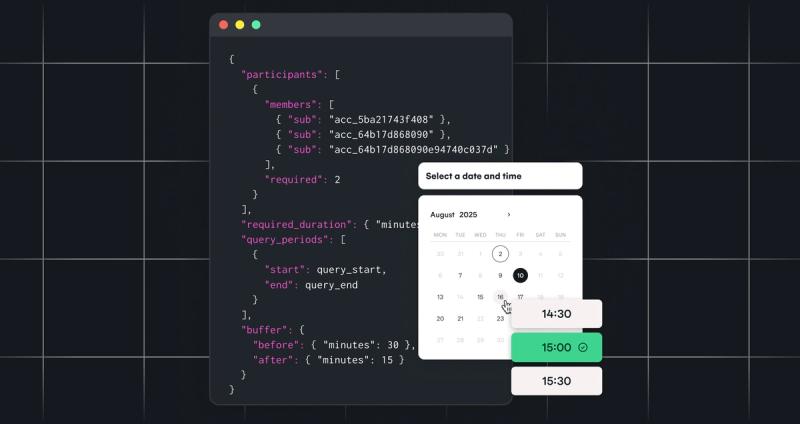
- Real-time availability and conflict handling. Merging multiple calendars, applying buffers and respecting time zones, with server-side conflict prevention.
- Embeddable UI components. Pre-built, white-labeled components put a fully branded scheduler inside the app and keep users in the product.
- Security and compliance. Recognized certification including GDPR, HIPAA, SOC 2, ISO 27001, 27701 and 27018, alongside a meaningful uptime commitment.
Google and Microsoft hold extensive certifications for their own services. Building direct means the integration's compliance scope and data residency are the integrator's responsibility.
Cronofy Scheduling API
Cronofy is the Temporal Infrastructure connecting agents, systems and teams. Managed scheduling and rescheduling is one of three capability groups on the Temporal Grid, alongside modular calendar and availability control, and meeting conferencing and transcription. Cronofy's Scheduling API provides enterprise-ready, real-time sync and free/busy access across Google, Microsoft and Apple, including on-premise Exchange, through one integration rather than one per provider, with a 99.99% service guarantee.
Best for: complex, multi-person scheduling inside a product, where calendar access has to clear a security review. 100+ HR Tech products run on Cronofy.
Advantages
Cronofy offers a choice of full sync or free/busy-only access, panel and multi-interviewer handling, and transcript delivery. The Sync Engine caches availability, so a single API call returns free/busy across many calendars instead of querying each provider live. That reduces latency and adds resilience. If a provider has downtime, Cronofy keeps serving the most recently synced availability, so users still see a working calendar.
Cronofy is still on v1 with no breaking changes, where other vendors sunset API versions and require migrations. Because every capability runs on the same grid, dev teams can start with sync and add pre-built scheduling UI, meeting transcripts or agent workflows later, without re-architecting.
Things to consider
Cronofy is managed SaaS infrastructure built for reliability and scale. Teams that need a self-hosted, open-source scheduling engine won't find it the right fit.
Cronofy doesn't offer contact or email APIs, which Nylas does. Whether that matters depends on what the team is building.
Google Calendar API
The Google Calendar API is one of the most widely used calendar integrations. It lets applications manage events, access free/busy information and handle notifications, but any integration is the organization's to build and maintain.
Best for: Google-only products, where the team is building the scheduling logic itself.
Advantages
Free to use. It supports creating, updating and deleting events, free/busy access, reminders and recurring events. Push notifications via webhooks let an application listen for event changes and keep an up-to-date view of availability.
Things to consider
Errors can appear at peak usage or when scaling across users, unless quotas are raised manually. The API only supports Google accounts, so users on Microsoft, Apple or Exchange need separate integrations. Google changes the API periodically, so teams have to monitor changelogs and update implementations to avoid breakage.
Microsoft Outlook (Graph) API
Microsoft Graph provides full access to Outlook and Exchange calendars, covering event creation, syncing and reminders. It is powerful, and it leaves the team handling OAuth flows and staying ahead of API changes.
Best for: Microsoft-only products already building on Graph.
Advantages
Free to use. It supports webhook-based change notifications for responsive sync, given proper setup and token management. A single endpoint covers not just calendars but email, contacts, users and files.
Things to consider
Complex workflows such as multi-attendee scheduling and priority routing have to be custom-built. Graph is large and multifaceted, which is a lot to navigate for a team that only needs calendar functionality. Microsoft evolves it frequently, and some changes break existing implementations.
Nylas Scheduling API
Nylas offers a unified calendar API covering Google, Microsoft, Exchange and Apple, with scheduling-specific features including availability checks, native UI components and notifications.
Best for: teams that want calendar, email and contacts from one vendor.
Advantages
Beyond reading and writing events, Nylas provides availability querying and embeddable UI widgets such as scheduling pages, which help teams ship without designing scheduling flows from scratch. It supports webhook notifications for calendar events and availability changes.
Things to consider
The domain-specific model in v3 requires additional logic and infrastructure for cross-company scheduling workflows, so a platform working across multiple organizations may need to build extra layers. Nylas covers calendars, contacts and email, which is useful in some cases but means scheduling infrastructure isn't the exclusive focus. Its backend often relies on external API calls to calendar providers for real-time data, which can introduce latency at scale when querying many calendars.
Cal.com Scheduling API
Cal.com provides an open-source, REST-style API, with the option to self-host or use hosted scheduling components. There are white-label options, and self-hosting brings operational overhead.
Best for: open-source mandates, where the team has the ops capacity to run it.
Advantages
Open-source access to the entire scheduling platform gives developers control over how scheduling looks, behaves and integrates. Teams can build customizable workflows with configurable rules, availability, buffers and embedded scheduling buttons, and Cal.com supports 1:1, group and round-robin flows out of the box.
Things to consider
Cal.com expects end users to create accounts, verify emails and interact with its interface, even when they only reach scheduling through another application. Running your own instance makes the team responsible for updates, uptime, bug fixing and infrastructure costs, which can outweigh the benefits of open source without dedicated ops support.
Scheduling API use cases
Scheduling shows up wherever a product needs someone's time. Recruiting is where it bites hardest. A single hire can involve a panel, three rounds, two time zones and a candidate who reschedules twice, and every one of those is logic an applicant tracking system (ATS) would otherwise build and maintain itself.
Interview scheduling in an ATS
Recruiting workflows are scheduling-heavy. They need candidate self-scheduling from real-time availability, interviewer panels, round-robin routing across a hiring team, and multi-stage days where consecutive interviews are booked from a single request. Every booking and reschedule stays on the ATS's own record, and Meeting Transcripts attached at the point of scheduling puts the transcript there too.
HCM suites, beyond interviews
The same integration serves any workflow that needs a person's time. One-to-ones and appraisals already exist in the calendar, so the work is keeping the platform's record and the event in step as it moves, and attaching the transcript to it. Absence and holiday run both ways: approved leave is written out to the calendar, and any change is fed back so the approval workflow can re-run.
Everywhere else time is the constraint
CRM and sales platforms book meetings in-product, then turn the recording into deal notes and next steps without a rep typing them up. Healthcare books appointments against real availability and documents consultations into patient records. Coaching, mentoring and EdTech run sessions and office hours on the same engine.
Try Cronofy for free
Cronofy offers a free sandbox environment so dev teams can test against real calendars. Connect up to 20 calendar accounts and test with real data and real events.