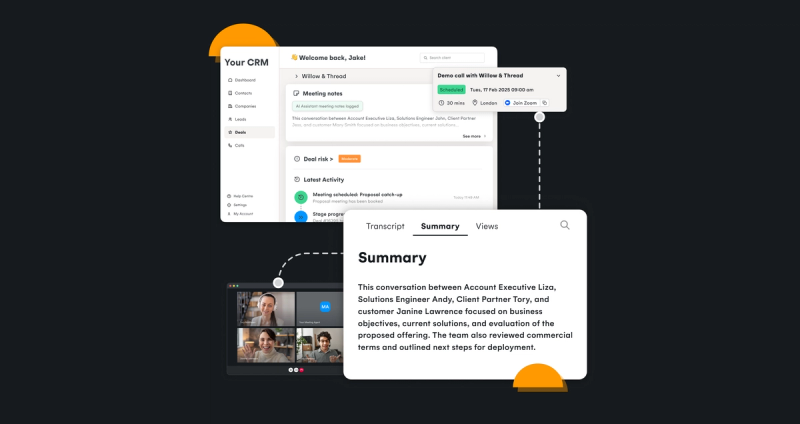
1. Let users connect their calendars to your application
Availability control is built on the temporal grid. It starts with letting users connect their calendar to your application. Cronofy handles authorization, permissions, and ongoing sync across Google, Microsoft, Apple and Exchange through a single flow, branded for your application. Whether users connect with full read-write access or choose a free/busy only connection, you get a real-time view of availability in your product without the engineering overhead.
How it works
Users connect their calendar directly from within the application in under a minute. Once the OAuth flow completes, Cronofy's sync engine starts monitoring their calendar immediately and delivers real-time change notifications back to your application via push notifications. Recruiters see their agenda without switching to a separate calendar tab, and any changes are reflected automatically.
Product teams can offer full read-write calendar access or a free/busy-only connection, depending on how much calendar context the workflow requires. The authorization flow is fully brandable, so users see your product's identity throughout.
Calendar connection in this demo is built on Cronofy's Individual Connect, an OAuth 2.0 authorization flow that connects users to their calendar provider through a single, managed integration. Cronofy handles the full token lifecycle, so there's no per-provider credential management in the application.
Once connected, Cronofy's sync engine continuously monitors each connected calendar and keeps the user's real-time availability up to date. Decide the level of calendar access offered to users in the form of full read-write connection, or free/busy only connections for use cases where privacy matters.
2. Let users book interviews from candidate profiles without leaving your application
Users switching between your ATS and their calendar to schedule a single interview is a time tax that compounds across every hire. Cronofy brings scheduling into your application so recruiters can book directly from a candidate's profile, against real availability, without breaking their workflow.
Cronofy supports two scheduling modes: booking directly on behalf of a user, and generating a self-scheduling link for the candidate to pick their own time. Both modes support single and multi-person scheduling so a recruiter can coordinate availability across an entire interview panel in the same flow.
Both modes are built on the same availability engine. Because they run on the temporal grid, they scale across any combination of participants, systems, and scheduling contexts without additional integration work. Cronofy queries the connected calendars in real time, surfaces only free slots, and writes the confirmed event back to all participants' calendars alongside the user's default conferencing link when scheduling virtual interviews.
Option 1) Book now:
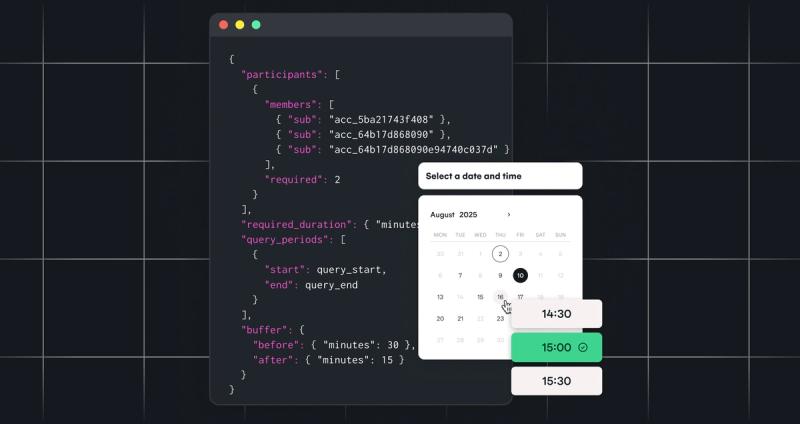
The recruiter sees available slots from connected calendars and books the interview directly within the app. Whether booking for themselves or coordinating across multiple interviewers, Cronofy finds the slots where everyone is free. The event lands in all participants' calendars immediately.
The "book now" flow uses Cronofy's Availability API to query multiple connected calendars simultaneously and surface only the slots where all required participants are free. The Create Event API then writes the confirmed interview to all participants' calendars in a single call. Conferencing links are generated automatically via Cronofy's Conferencing Services at the point of booking.
Option 2) Give candidates a self-scheduling link:
The recruiter sets a duration, availability window, and time constraints, then generates a link for the candidate to self-schedule. Works for individual recruiters or across a panel, with the link only surfacing times when all required participants are available.
The scheduling link flow is built on Real-Time Scheduling. The application makes a single API call specifying the participants, duration, and time constraints. Cronofy returns a booking URL that reflects live availability across all required participants. When the candidate selects a slot, Cronofy writes the event to all calendars and notifies the application via webhook.
3. Let users automatically record, transcribe and summarize interviews
After an interview, recruiters and hiring teams are expected to write up notes, provide feedback, and populate interview summaries and scorecards. Without a native solution, most of that happens outside the ATS across personal notetakers and documents, disconnecting the data from the rest of the hiring workflow and application.
Cronofy's Meeting Agents keep all of that data and context inside your application. Running on the temporal grid means meeting intelligence works across Zoom, Google Meet, and Teams, connects to the same calendar and scheduling layer, and stays within Cronofy's own infrastructure rather than routing through third-party processors. This not only saves recruiters time on manual write-ups and summaries, but also gives product teams a whole new data foundation to build on.
A Meeting Agent can be attached to an interview at the point of booking, or dispatched ad hoc by pasting a meeting link into the candidate profile.
Option 1) Attach at booking
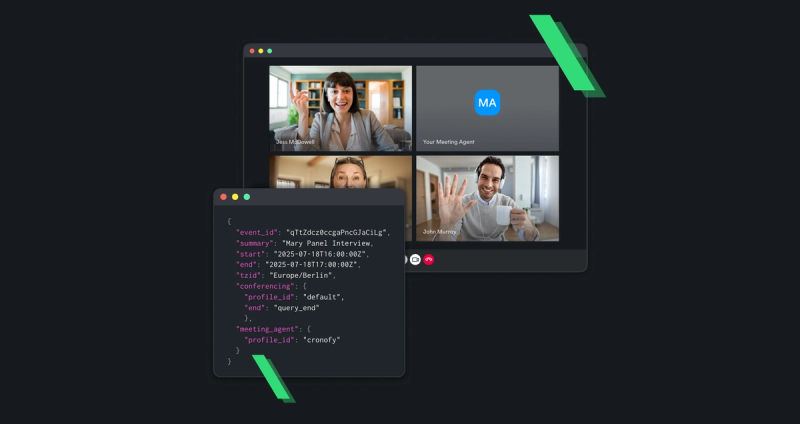
The recruiter's notetaker is automatically scheduled to join the call at the right time. Interview recordings, transcripts and AI-generated summaries are then fed back to the candidate's profile page directly inside the ATS.
Option 2) Send ad-hoc
Recruiters can paste a Zoom, Google Meet or Teams link into the candidate profile at any point. The notetaker is then dispatched to join the call.
Recording and summarization in this demo is built on Cronofy's Meeting Agents. The application schedules an agent via a single API call, passing the meeting URL and a callback endpoint. The agent joins the call as a bot, with no software installation required for participants. Google Meet, Microsoft Teams, and Zoom are supported out of the box.
Once the meeting ends, Cronofy notifies the application via webhook callback, delivering the recording, transcript and AI-generated summary. The application then uses the resource download to retrieve the audio and video recording. All data capture and processing takes place within Cronofy's own data centers. Meeting data is not shared with third parties or used to train models.
4. Generate interview scorecards from every interview
When interview data lives inside your application and infrastructure, you can start building intelligent features on top. The transcript and AI-generated summary delivered by Cronofy's Meeting Agents unlock the raw material needed to populate interview scorecards for your users, surfacing the right evidence against each criterion without the recruiter having to rely on memory or scattered notes when providing feedback.
Once the interview recording and transcript are delivered back to the application, the structured data can be passed through an LLM integrated within your application to extract and map responses against your scorecard criteria.
That output can then be used to pre-populate scorecard fields automatically, with recruiters reviewing and editing the proposed feedback rather than writing it from scratch.
Keep the hiring workflow connected inside your product
The four capabilities above cover the full interview lifecycle, from availability control through scheduling coordination to meeting intelligence, without the recruiter leaving the ATS at any point. That's what the temporal grid makes possible: a single, enterprise-proven infrastructure layer your capabilities run on, rather than a set of point solutions you have to hold together yourself.
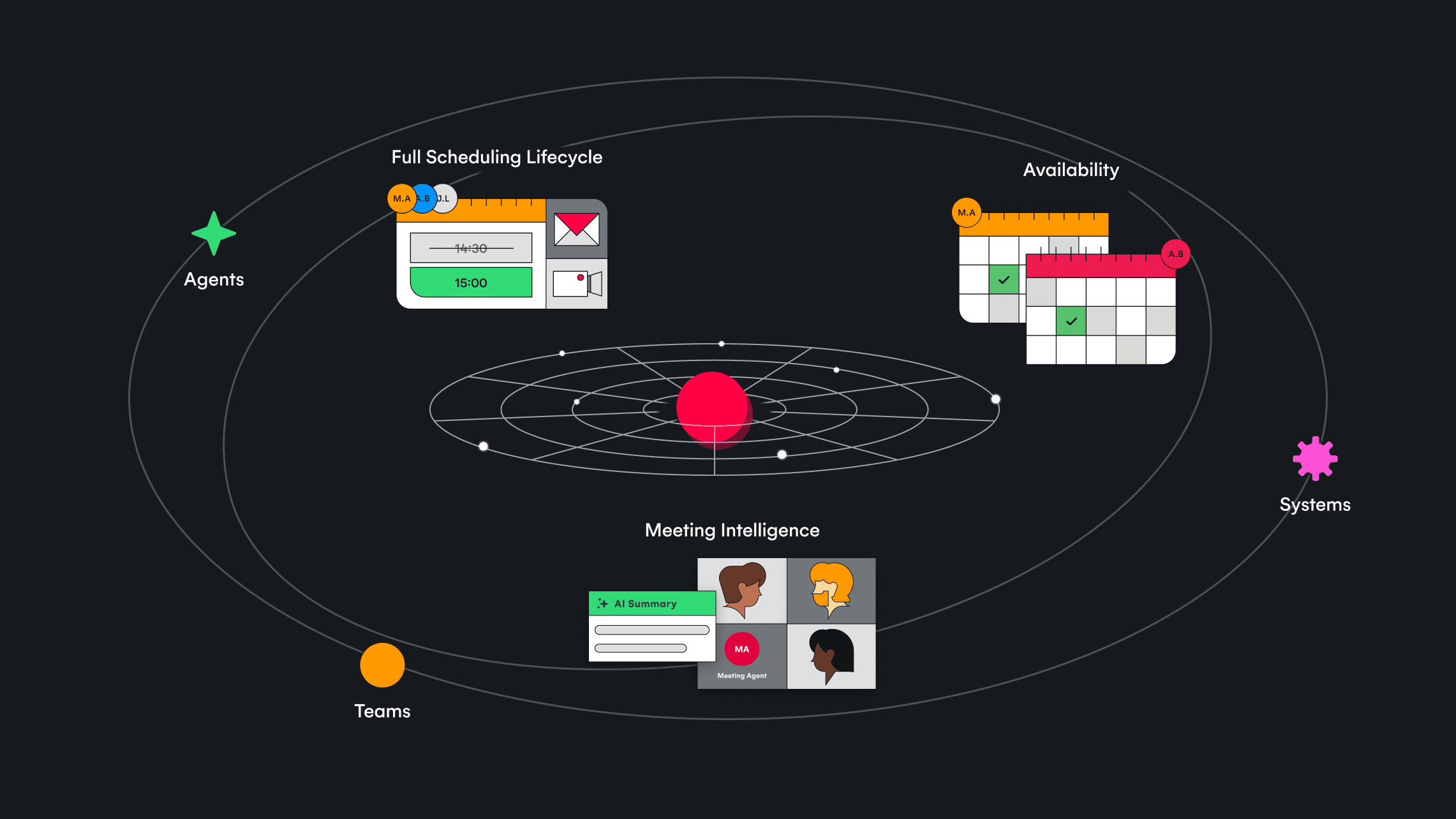
Teams that keep users inside their product own that data layer. Teams that don't are left integrating with external tools that control it instead.
If you're building an ATS and want to understand how Cronofy fits into your architecture, explore our docs or get in touch to see what these capabilities could look like in your application.